Practical photo collections · Updated 7 October 2026
Photo collections: from upload to a saved layout
Start with a collection of photographs, choose the page and arrangement, then review what each frame keeps visible. Stickerloom’s wizard prepares a layout you can create, reopen and export. Desktop and phone follow slightly different paths.

A useful starting point: Brick
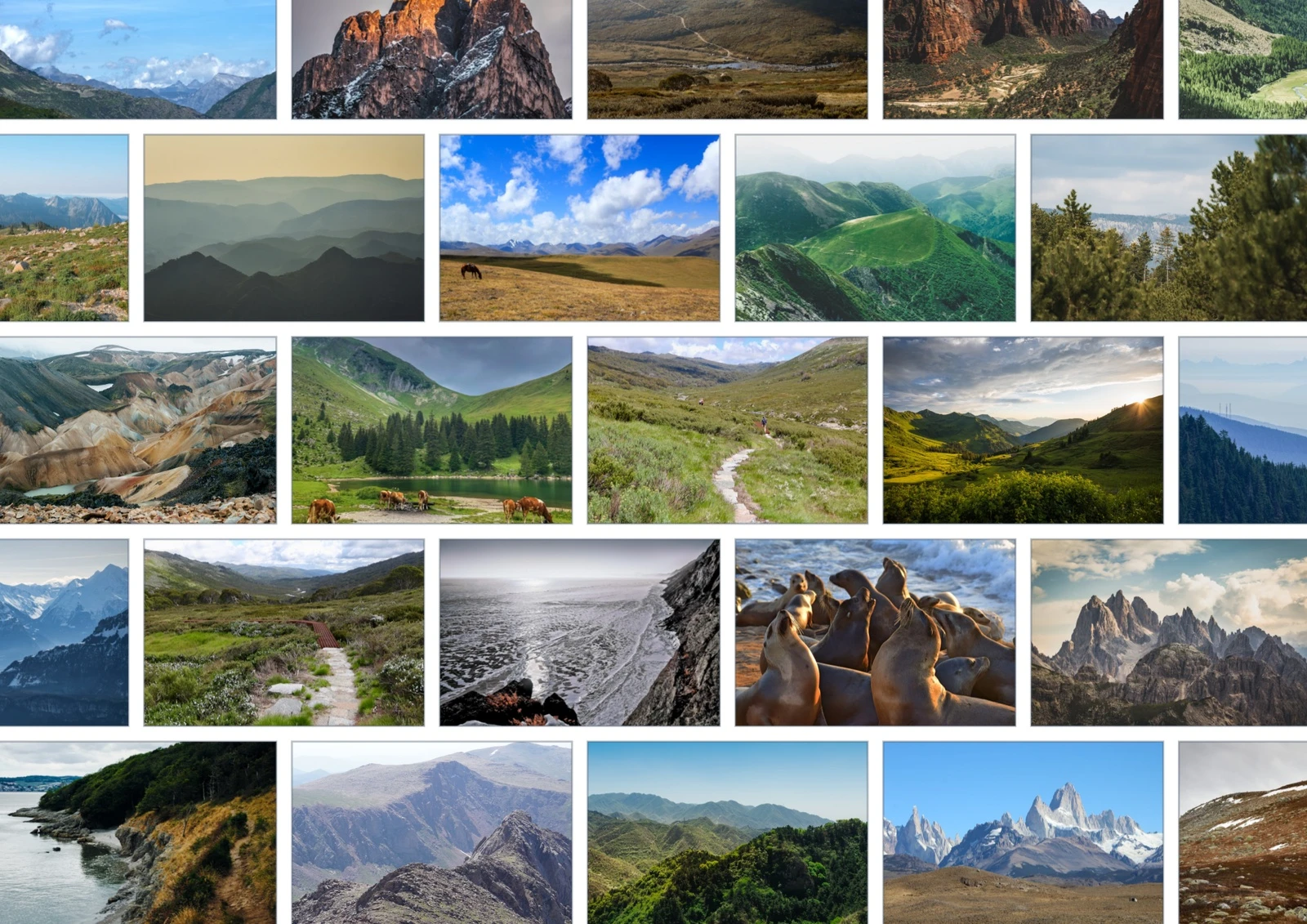
Our example uses 100 distinct outdoor photographs, each appearing once. Brick gives the collection a staggered row structure, with individual landscapes still easy to browse. Stickerloom’s production analysis, layout, framing and export libraries generated the artwork shown here. The instructions below describe the current wizard controls; the artwork is an exported production example rather than a recording of that wizard journey.
The requested frame dimensions describe this example’s recipe. Your preview depends on the photographs, shapes, page setup and settings you choose.
On desktop: five stages
- Upload Photos. Name the collection and add readable image files. Choose a manageable set first. When Vectrari® Vision is enabled, image analysis runs as part of preparation; wait for the image checks before continuing. Analysis is not a separate wizard stage.
- Pages. Choose A4, US Letter, A3 or A5, then portrait or landscape. For a composition like our example, start with A3 landscape and Single page. Multiple pages lets you spread a collection across a chosen page count; review the resulting distribution.
- Styles. Choose one of five core styles: Grid, Brick, Honeycomb, Classic Spiral or Sunflower Spiral. Artistic presets offer composed variations. Select Brick for this starting point; compare other treatments before deciding which suits your photographs.
- Customize. Review the shape strategy and horizontal and vertical spacing. A rectangle with 2 mm spacing is a useful starting choice for this example. Use Generate Preview, wait for preparation to finish, then inspect the whole page and individual crops. Adjust framing preferences or assignments where needed.
- Review. Check the collection and choose Create Photo Collection. Creation has its own processing screen. Wait for successful completion before treating the layout as saved; a prepared preview alone is not the saved result.
On phone: four stages, then a saved preview
The phone stages are Upload → Pages → Style → Preview. Choose your photographs, page setup and style, then generate and review the preview before choosing Create Collection. Vision preparation supports that flow without adding a separate analysis stage.
After creation, open the saved layout’s mobile preview or return through My Layouts. Phone provides a read-only preview and export controls. Use desktop or a large-screen tablet for editing the saved arrangement, then review your changes before export.
Know the limits before exporting
Free allows up to 500 photos per collection; Pro allows 1,000. Saved layouts also have size limits: 30 MB on Free and 75 MB on Pro, including uploaded image assets and layout data. A collection can reach its size limit before its photo limit.
Paid Free exports unlock PDF or PNG up to 600 DPI at USD0.99 per page. Checkout charges for the pages in the captured layout, so review the artwork and page count before paying. PDF can combine multiple pages; that capability is not exclusive to Pro. Pro adds unlimited exports, up to 2400 DPI, CMYK and additional formats.
Inspect the downloaded file at your intended output size. These example photos are 1080-pixel-wide derivatives: increasing export DPI cannot recover missing source detail. For a physical print, follow your printer or print partner’s specifications and make a proof.
Choose your next arrangement
Explore the same 100 photos in four layouts to compare Brick with the circular and hexagonal alternatives. For manual finishing ideas on desktop, try the creative photo collection recipes.
About these examples and photo sources
These images are approved web versions of existing Stickerloom production artwork. The photo credits and licence record identifies the 100 source photographs.